TradingDiary Pro is now on the web
TradingDiary Pro is now on the web
TradingDiary Pro has been a Windows desktop application since 2009. From now on you can also run it straight from your browser: the web version is live at www.tradingdiarypro.app.
It is not a cut-down companion app. The web version was rebuilt from the ground up around the same trading model you already know – transactions, positions, option strategies, net asset value – and this post lists exactly which features are already implemented.
No installation, any operating system
The application runs in any modern browser on Windows, macOS and Linux, so there is nothing to install and nothing to update. Sign-in is handled by a dedicated authentication provider, your data lives in your own isolated account, and the same account is available from every machine you log in from.
Interactive Brokers statement import
Upload your Interactive Brokers Flex (XML) activity statement and the import module parses every trade, fee, dividend, interest and cash transaction, then builds your positions automatically. Exchange rates found in the statement are stored historically, so a later recalculation always uses the rate that was valid on the day of the transaction. Further import modules are being ported from the desktop version.
Automatic options strategy recognition
The feature that made TradingDiary Pro different on the desktop is available on the web as well. Option legs are grouped into a single strategy with a combined profit and loss, and you can work with them under the Options Strategies menu:
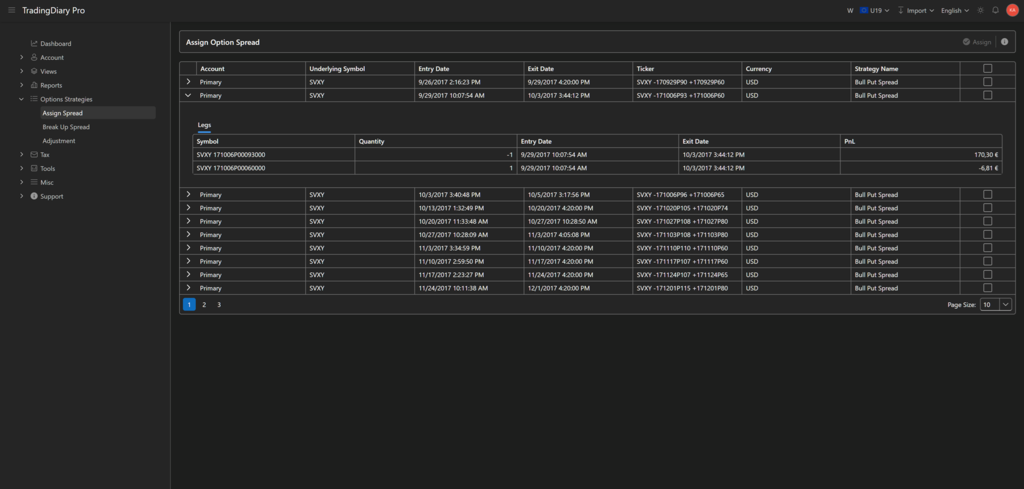
- Assign Spread – recognised spreads are listed with their underlying, entry and exit date, ticker, currency and strategy name; expand any row to see the individual legs and their PnL. Legs that were not recognised automatically can be selected and assigned to a spread by hand.
- Break Up Spread – split a strategy back into its individual legs whenever the automatic grouping is not what you wanted.
- Adjustment – roll a position or add new legs to an existing strategy; every metric is recalculated.
Views for your trades and positions
The Views menu contains the day-to-day working screens: Trades, Positions, Open Positions, Positions Gantt, Instruments, Cash Transactions, Equity and the Journal. Opening a position shows its details on separate tabs – legs, trades, running PnL, payoff diagram, stop and target levels, cash transactions and your own journal notes.
Reports
Reports are organised into five groups and every one of them respects the date range and account selection you set in the toolbar:
- General – Tracker, Performance by Equity and Performance by Positions.
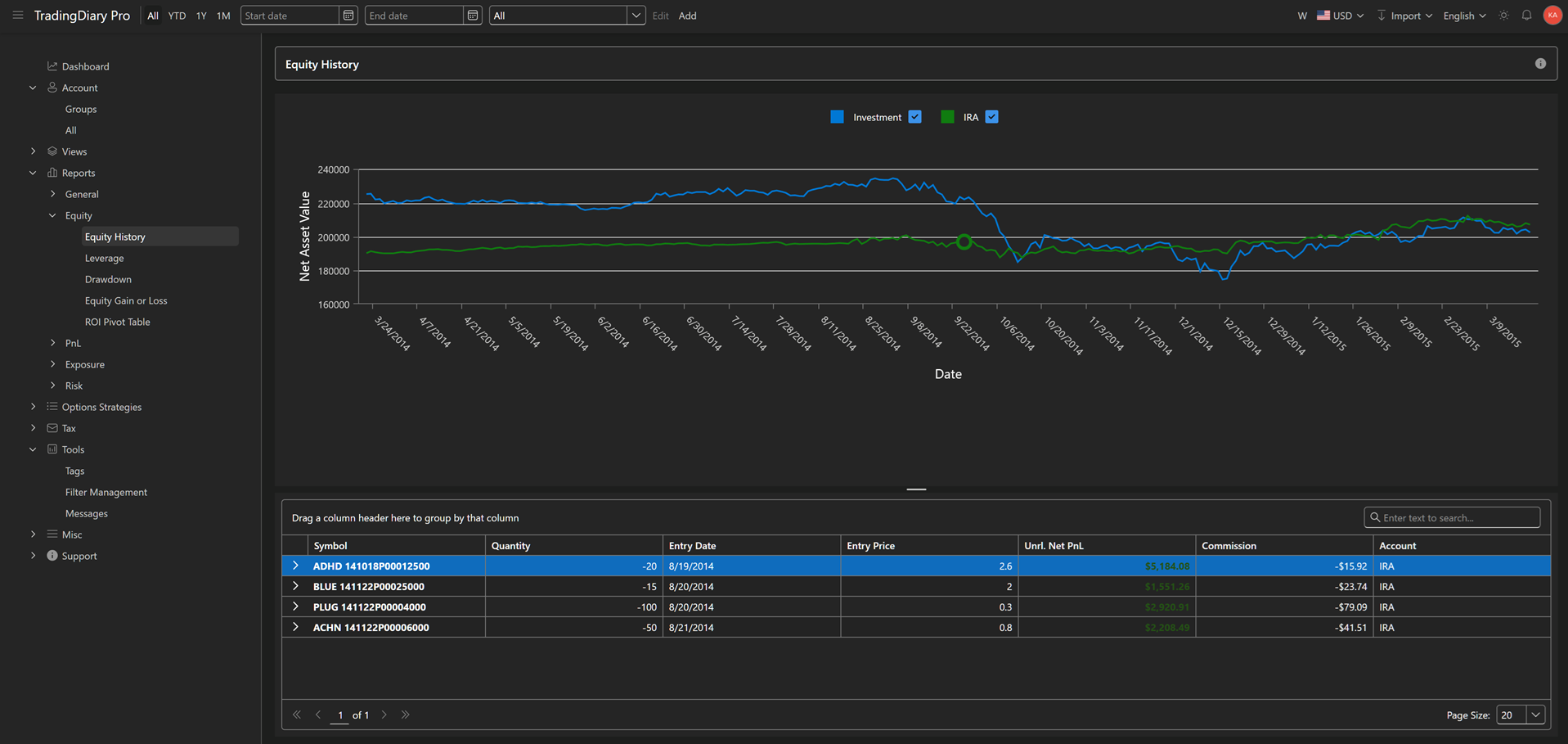
- Equity – Equity History (your net asset value rebuilt from positions and historical prices), Leverage, Drawdown, Equity Gain or Loss and the ROI Pivot Table.
- PnL – Cumulative PnL, Distribution, Instrument Distribution, Time Distribution, Tag Distribution and Price Range Distribution.
- Exposure – exposure against your equity and the exposure of your open positions.
- Risk – Risk Analysis.
Multi-currency
You can trade in any currency. Exchange rates are stored with their dates, and a separate central bank rate service provides the official rates that several tax authorities require. The display currency can be switched from the toolbar, so the whole application – positions, reports and equity – is recalculated into the currency you pick.
Tax reports
The Tax menu currently contains a general capital gains report plus country-specific reports for the United States, Germany, Canada and Australia.
Accounts and account groups
Multiple trading accounts are supported. Accounts can be collected into groups, and reports can be run on a single account, on a group, or on everything at once.
Tags, filters and notes
Trades and positions can be tagged with as many labels as you like and commented in the journal. Filters can be built, saved and reused from the Filter Management screen, so you can come back to the same slice of your book with one click.
Support inside the application
You do not have to leave the application to ask for help. The Support menu contains a knowledge base, a ticket form and the list of your own tickets with their answers.
Languages, light and dark theme
The user interface is available in English, German and Hungarian, and you can switch between the light and the dark theme at any time.
What is not there yet
Interactive Brokers is the first import module on the web; the remaining ones are being migrated. The Windows desktop version stays available on the Downloads page and continues to receive updates while the web version catches up with it.
Try it as a beta
The web version is in beta and open to everyone who wants to try it. You get every feature, and no credit card is asked for. Two subscriptions are planned for the live release: Edge for up to 5 accounts and 2,000 trades, and Elite with unlimited accounts and trades. Beta testers will receive a significant discount from the monthly and the yearly fee once the software goes live.
Start here: www.tradingdiarypro.app