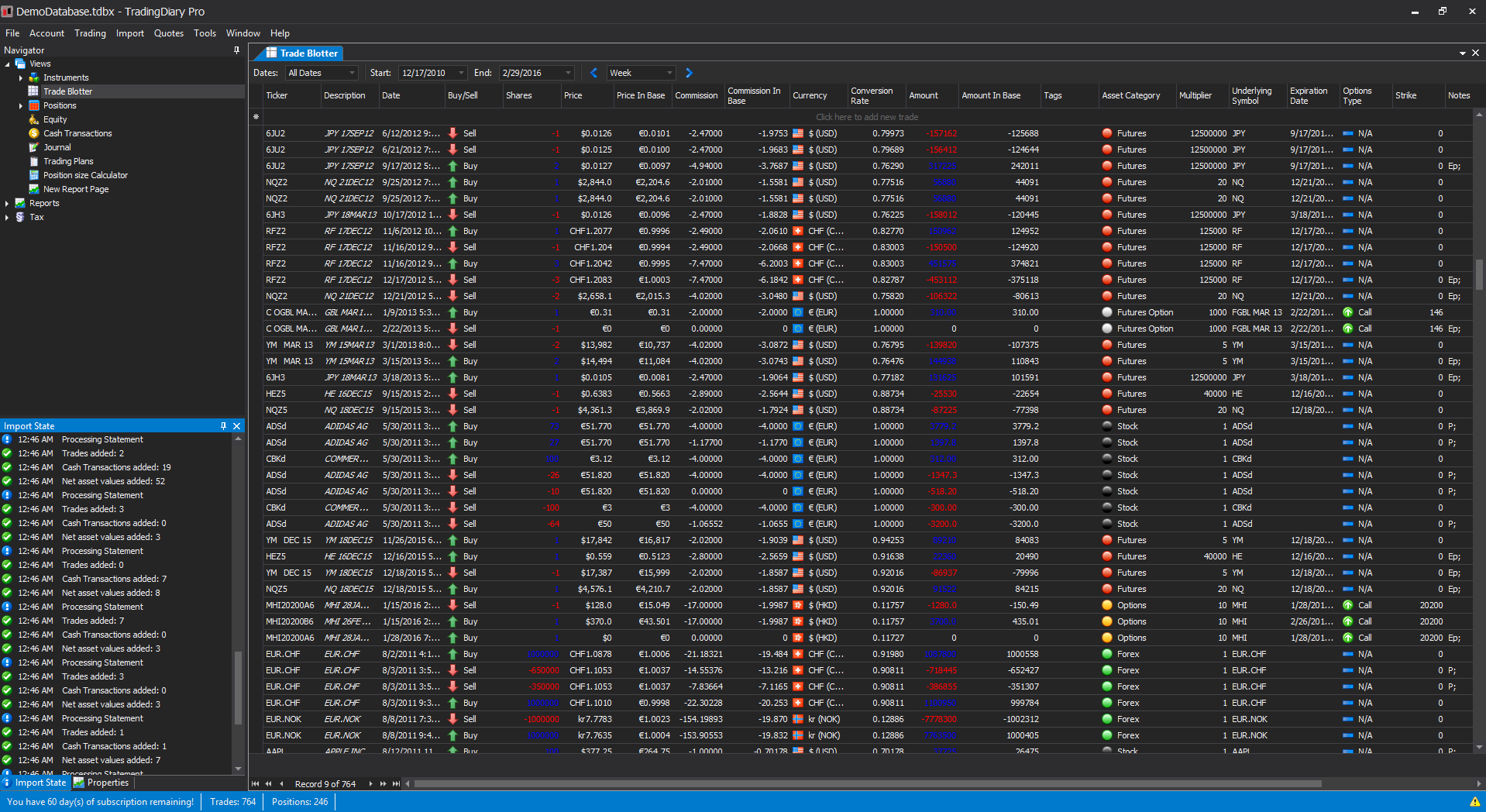
Trade Blotter
Trade Blotter holds all trades which have taken place.
Trade Blotter holds all trades which have taken place.
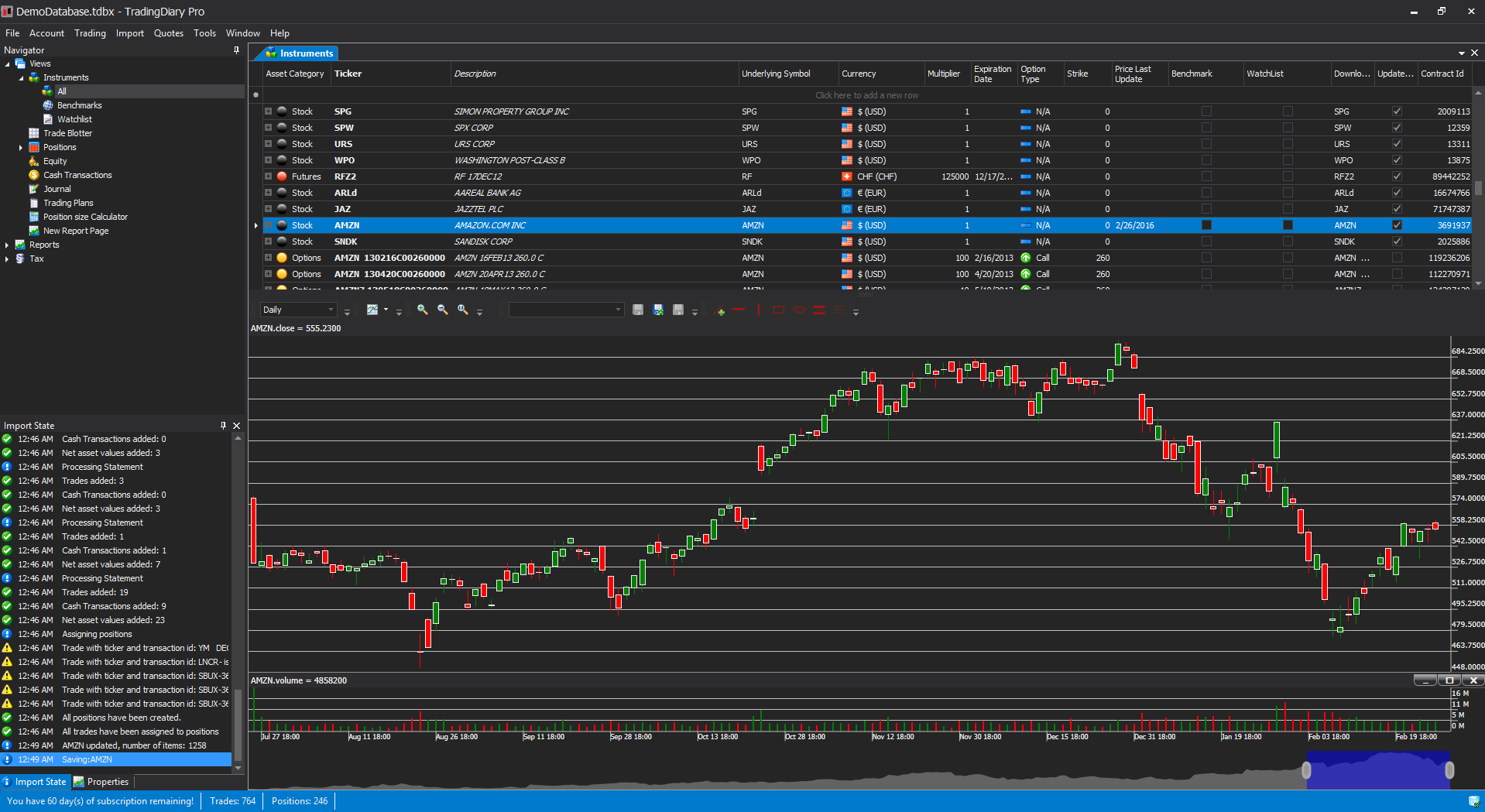
The instruments view contains two separated parts. The first is a hierarchical grid view which contains all instruments, shows the instruments’ positions, price history and trades. The second part is a fully featured stock charting module and it shows the chart of the selected instrument.
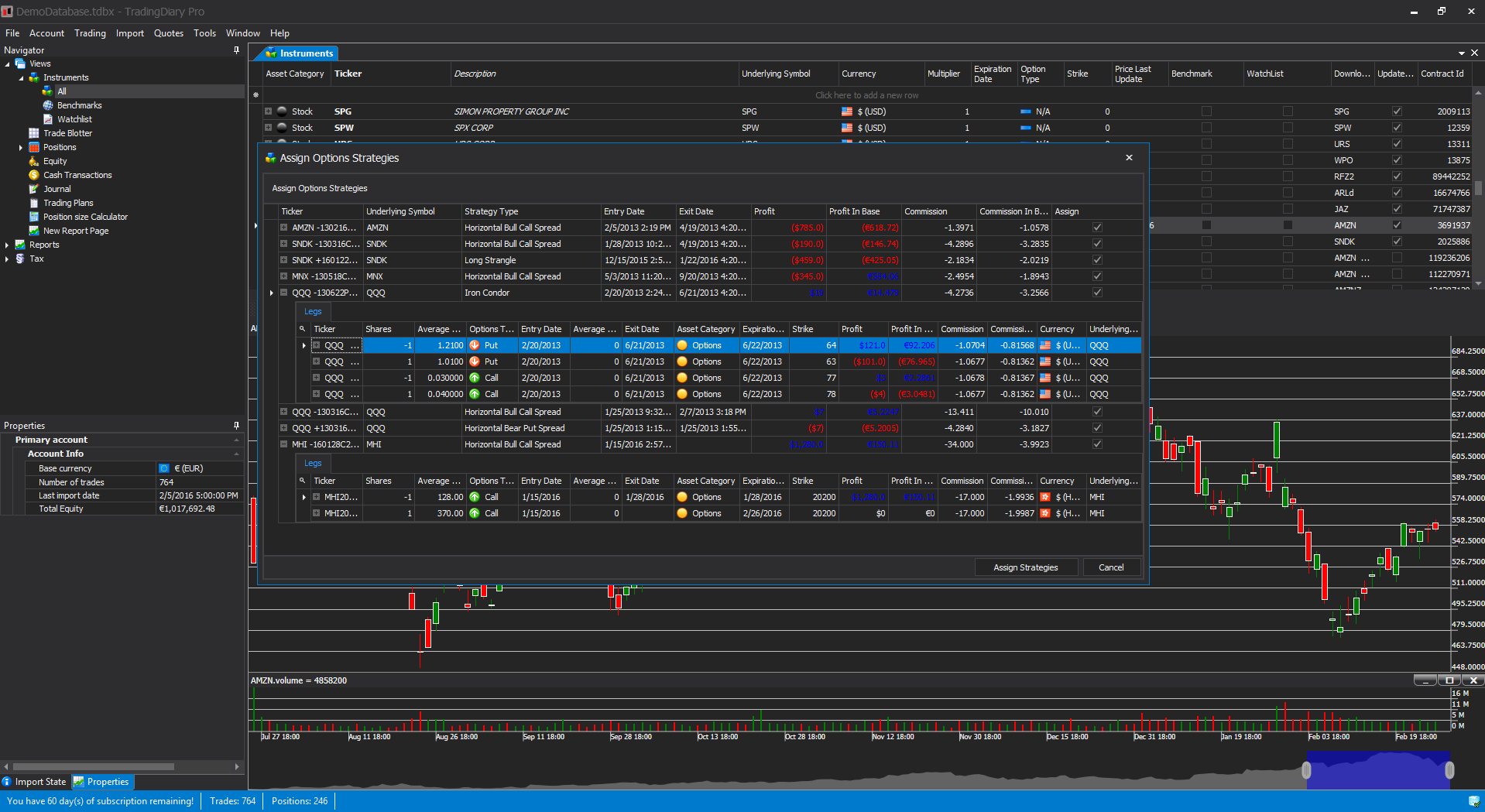
Shows the options strategy candidates.
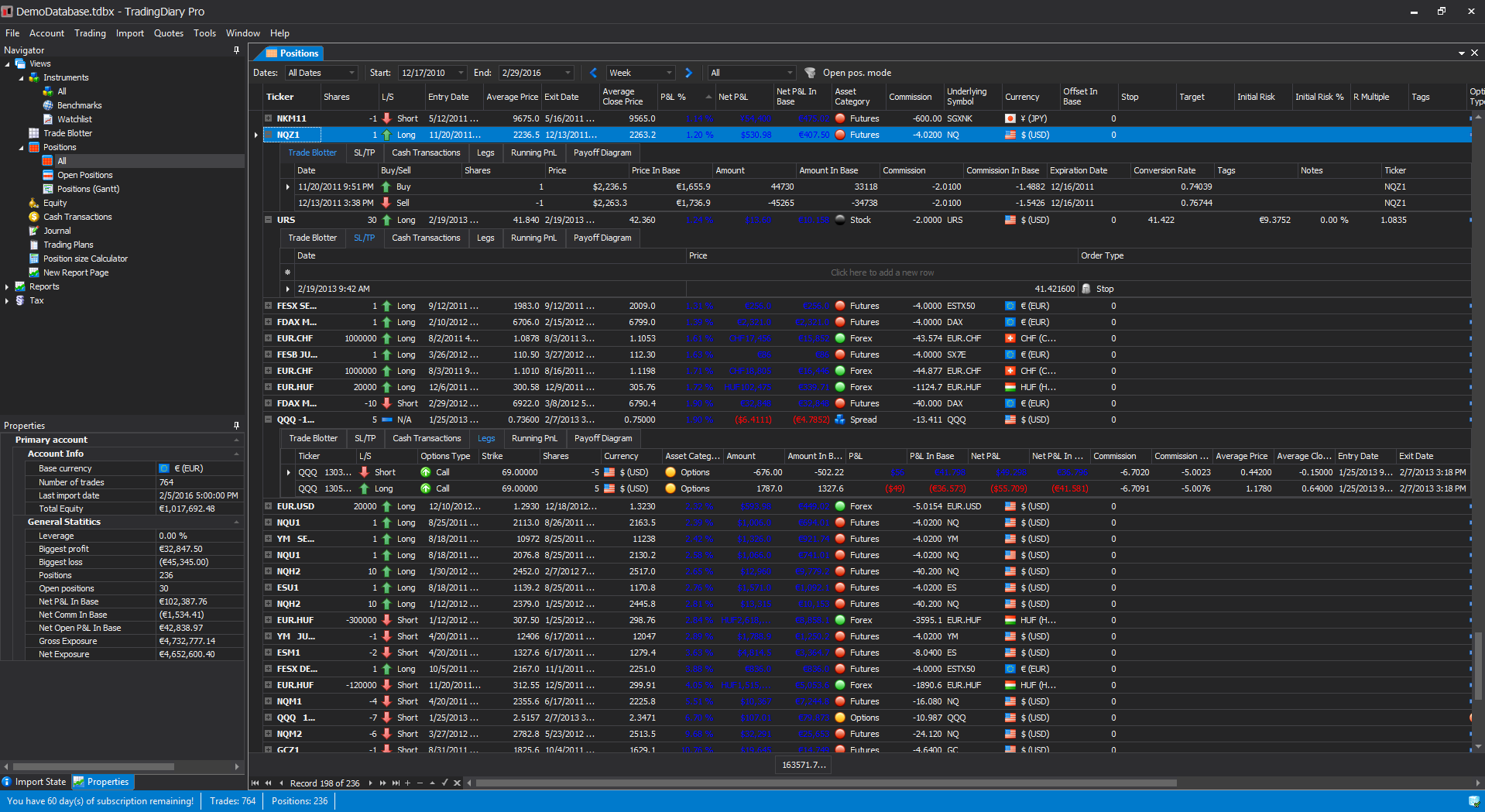
In the Positions view you can see the sorted positions and the values to them. Several sub grids are assigned to each position including the Trade Blotter, grid for Stops and Targets, assigned cash transaction, the running P&L chart and the Payoff diagram for options spreads.
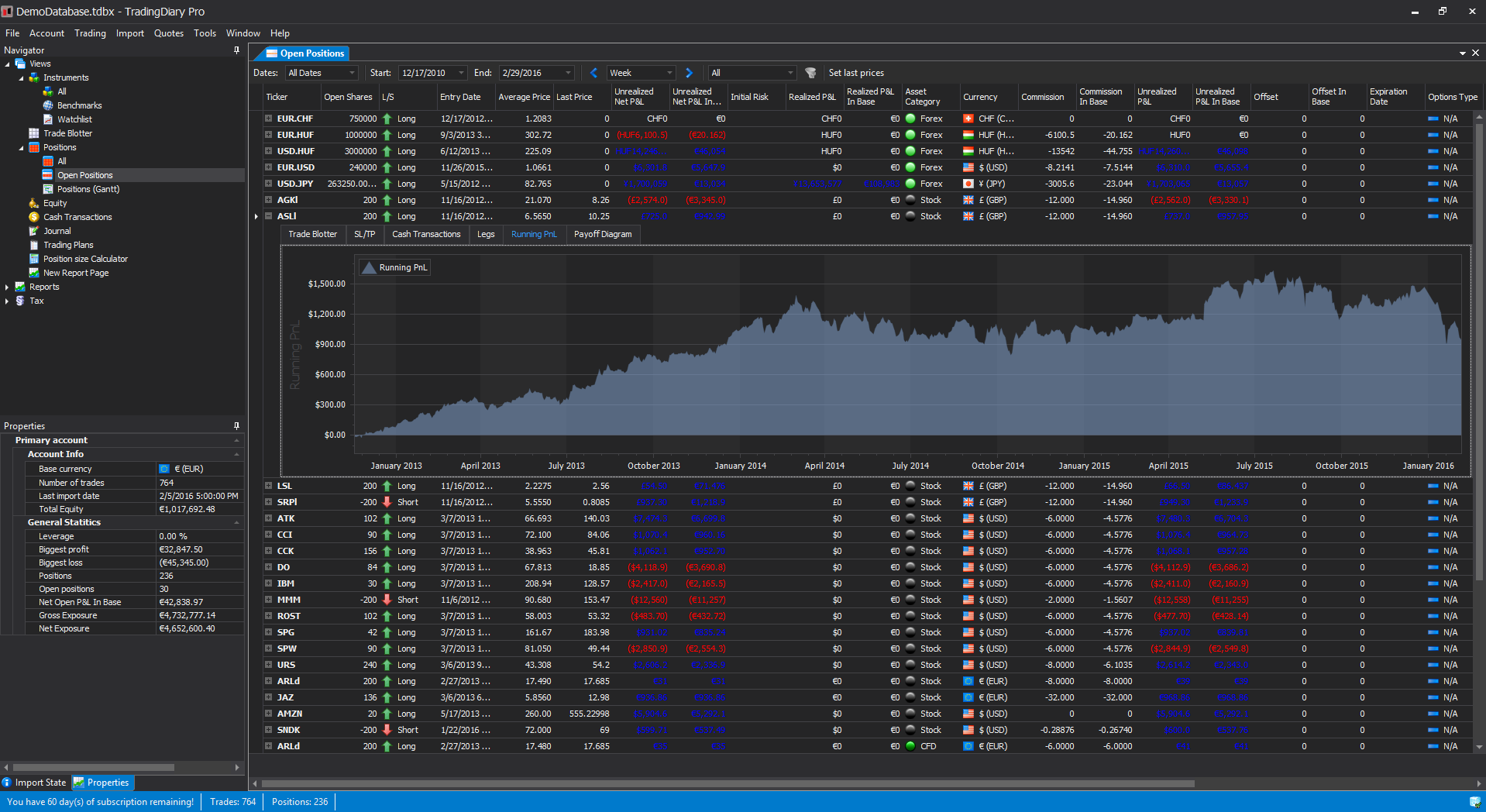
The Open Positions view is similar to the Positions view but it is specifically for viewing open positions.
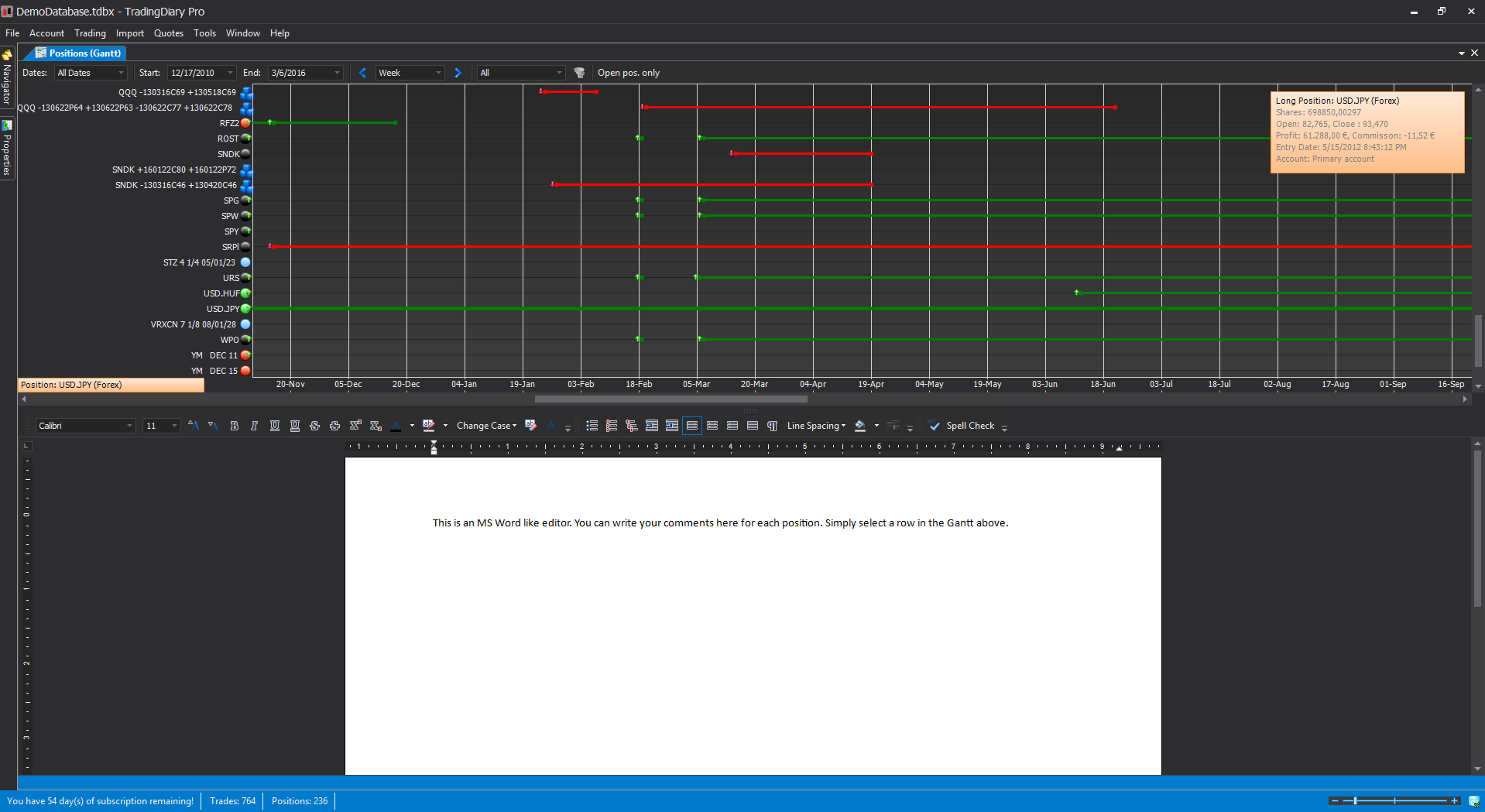
The Gantt view contains two sections. The upper part is the Positions Gantt which is a graphical display of the positions. By clicking on a row the basic positions information is shown. The bottom part of this view is a fully featured rich text editor similar to the Microsoft Word. You can make notes and add screenshots to it for further reviewing.
The bottom part of the instruments view contains a fully featured stock charting module. Supports more than 100 different indicators and several different drawings including Fibonacci retracement.
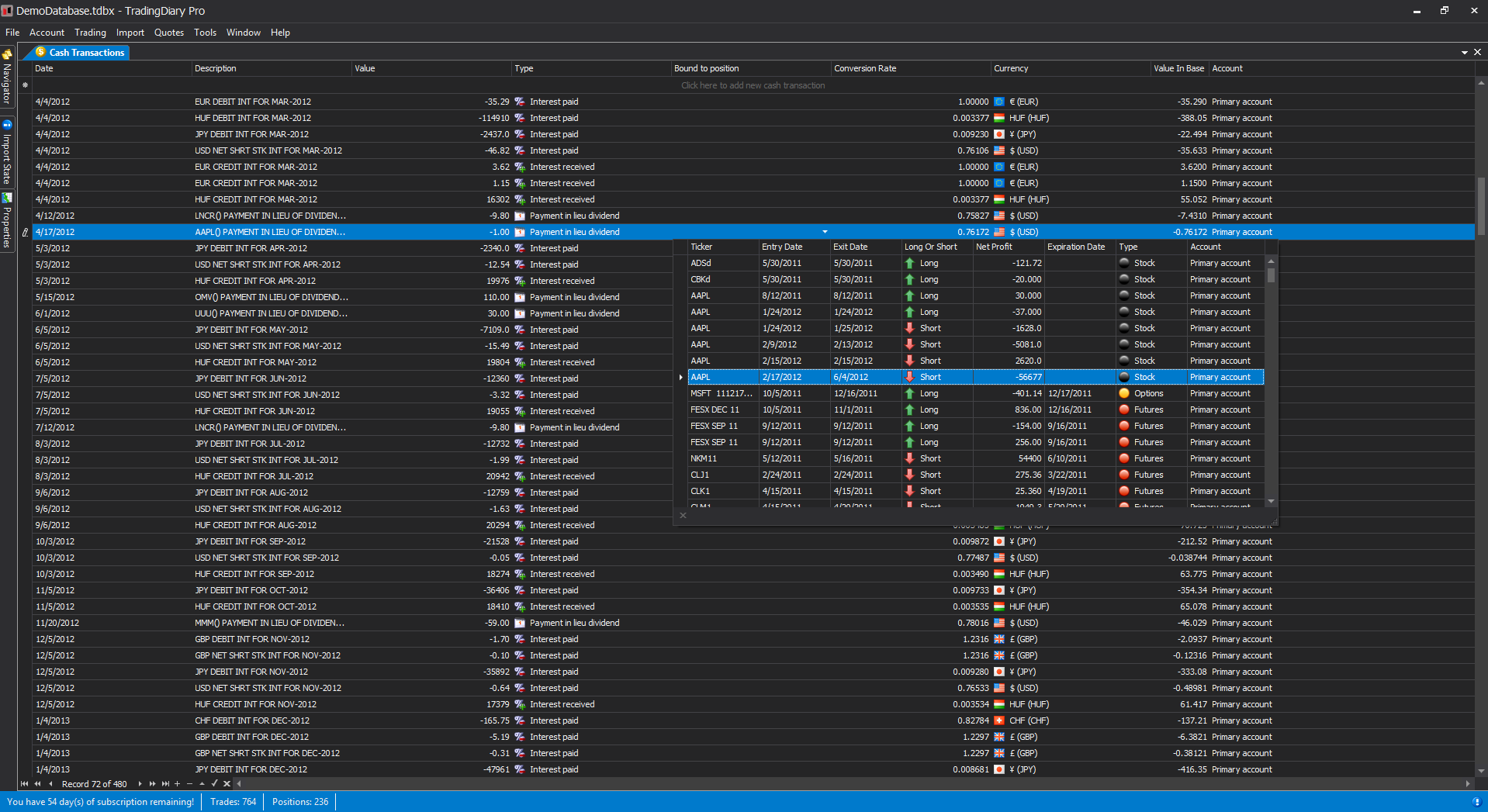
The Cash Transaction list is to store such elements which are not directly connected to the core of the trading. For example deposits and withdrawals, dividends, payment in lieu of dividends, interest received and paid and other fees such as real time data fee etc.
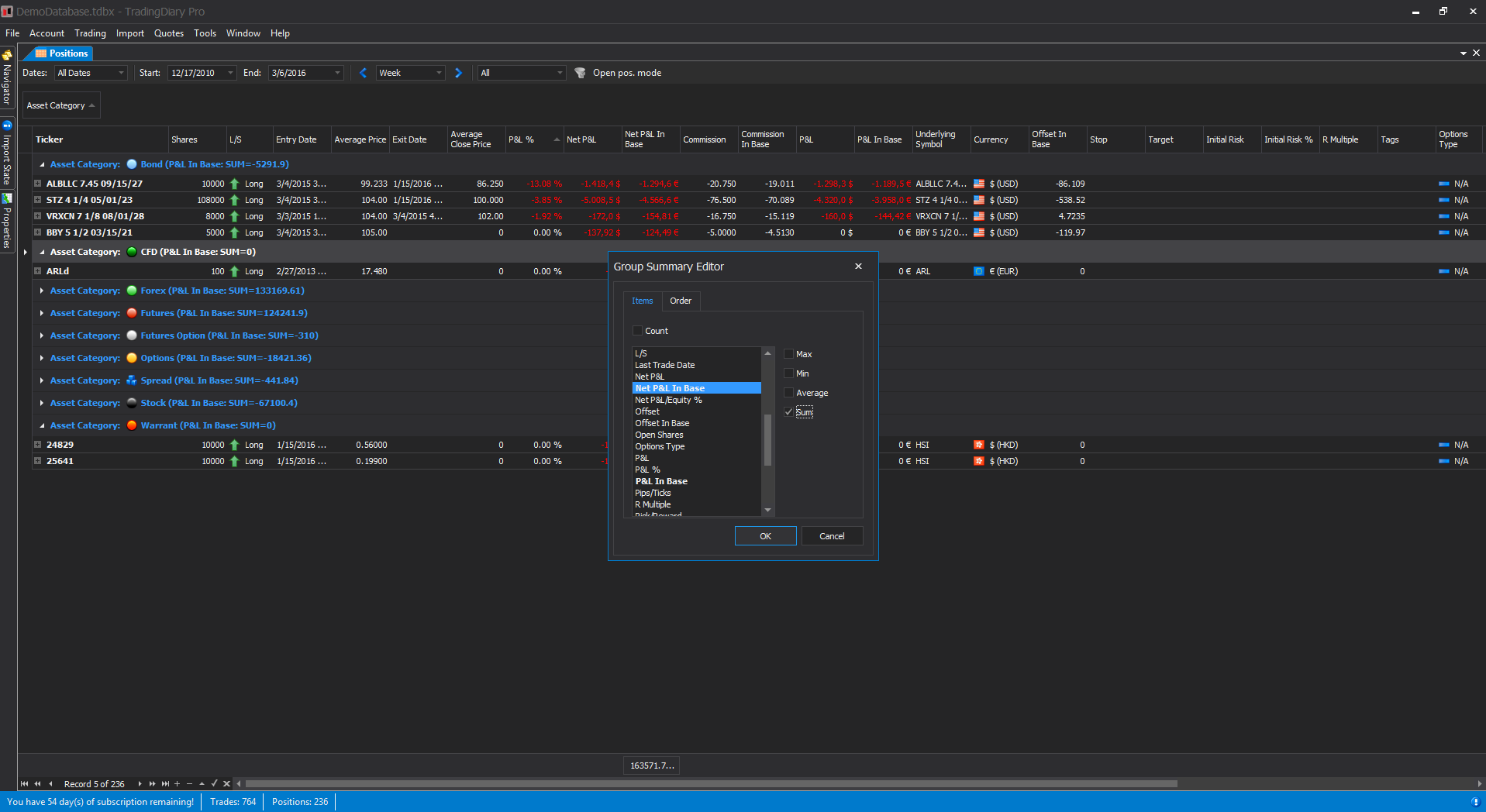
Each grid in TradingDiary Pro supports a bunch of very useful features like:
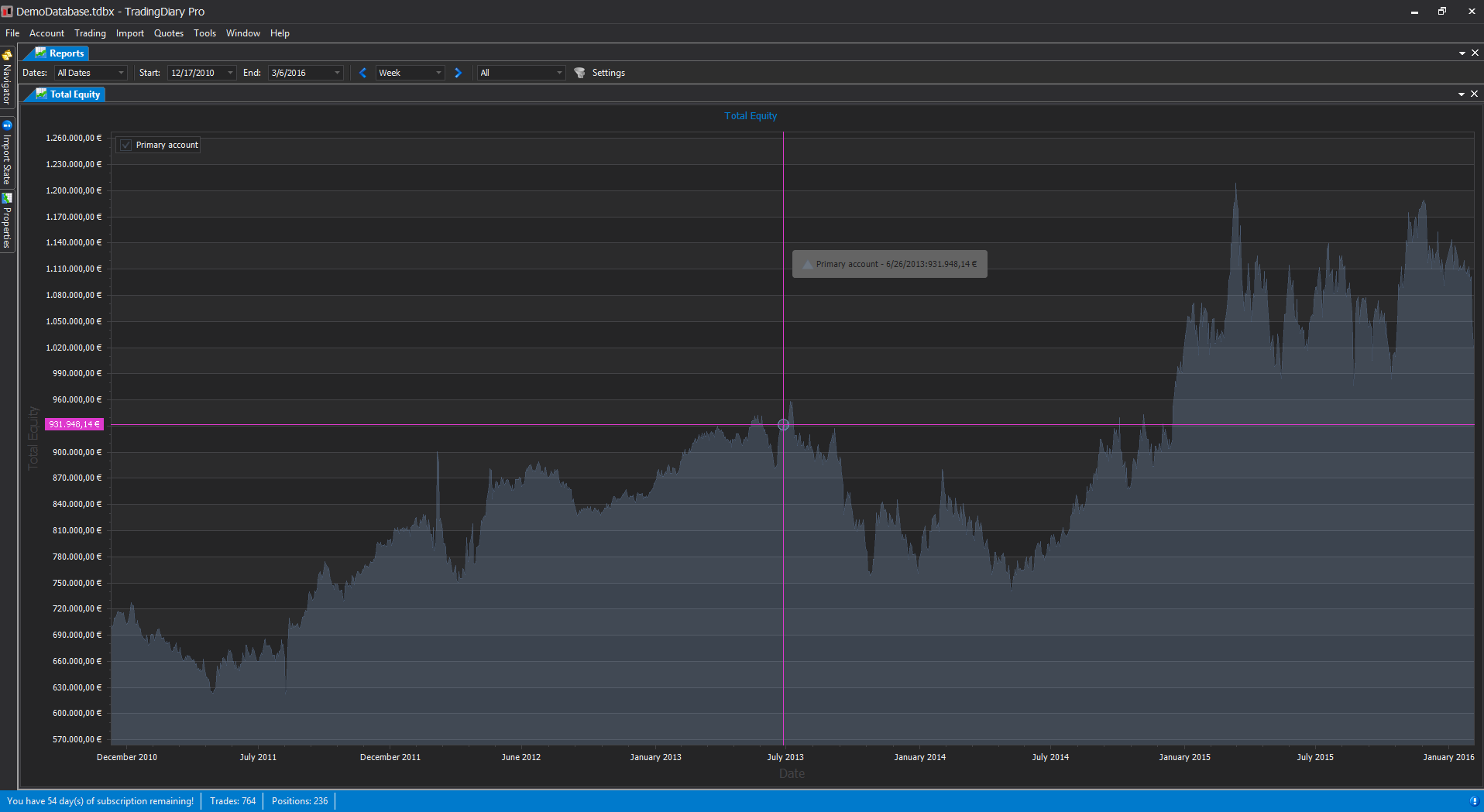
With this report you can see your total equity (net asset value) change by time. Each point in the chart is the total equity value from the total equity history. If your brokerage firm does not provide such values you can generate them based on positions, historical EOD price values and cash transactions. If there are multiple accounts in your database you can check the aggregated curve as well.
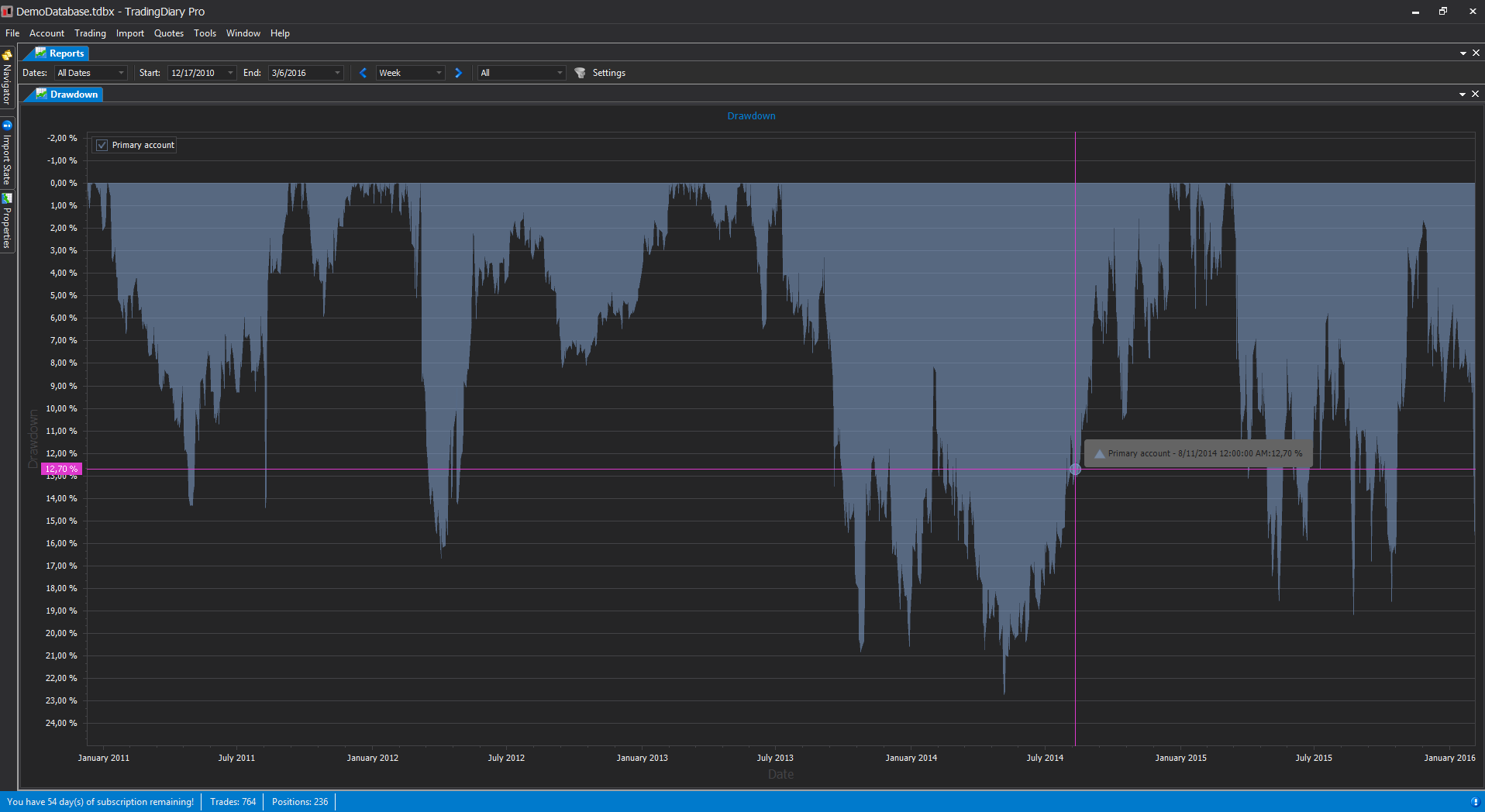
Drawdown report. The Drawdown is the measure of the decline from a historical peak of the Total Equity history.
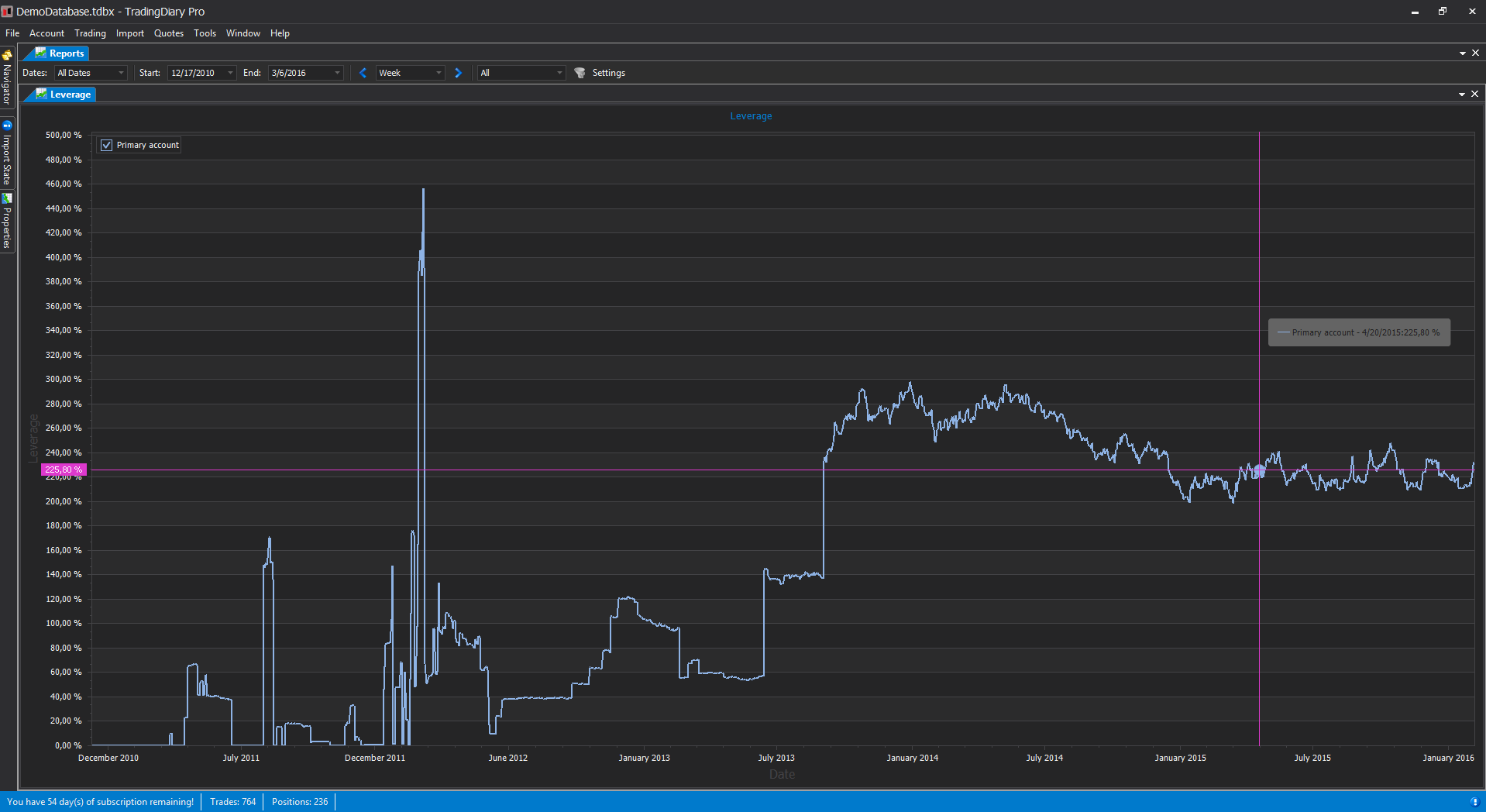
The Leverage report values are calculated by dividing the sums of absolute value of open positions amount with the total equity value of that particular day. This value is calculated for every trading day. It needs total equity history be calculated and EOD price history.
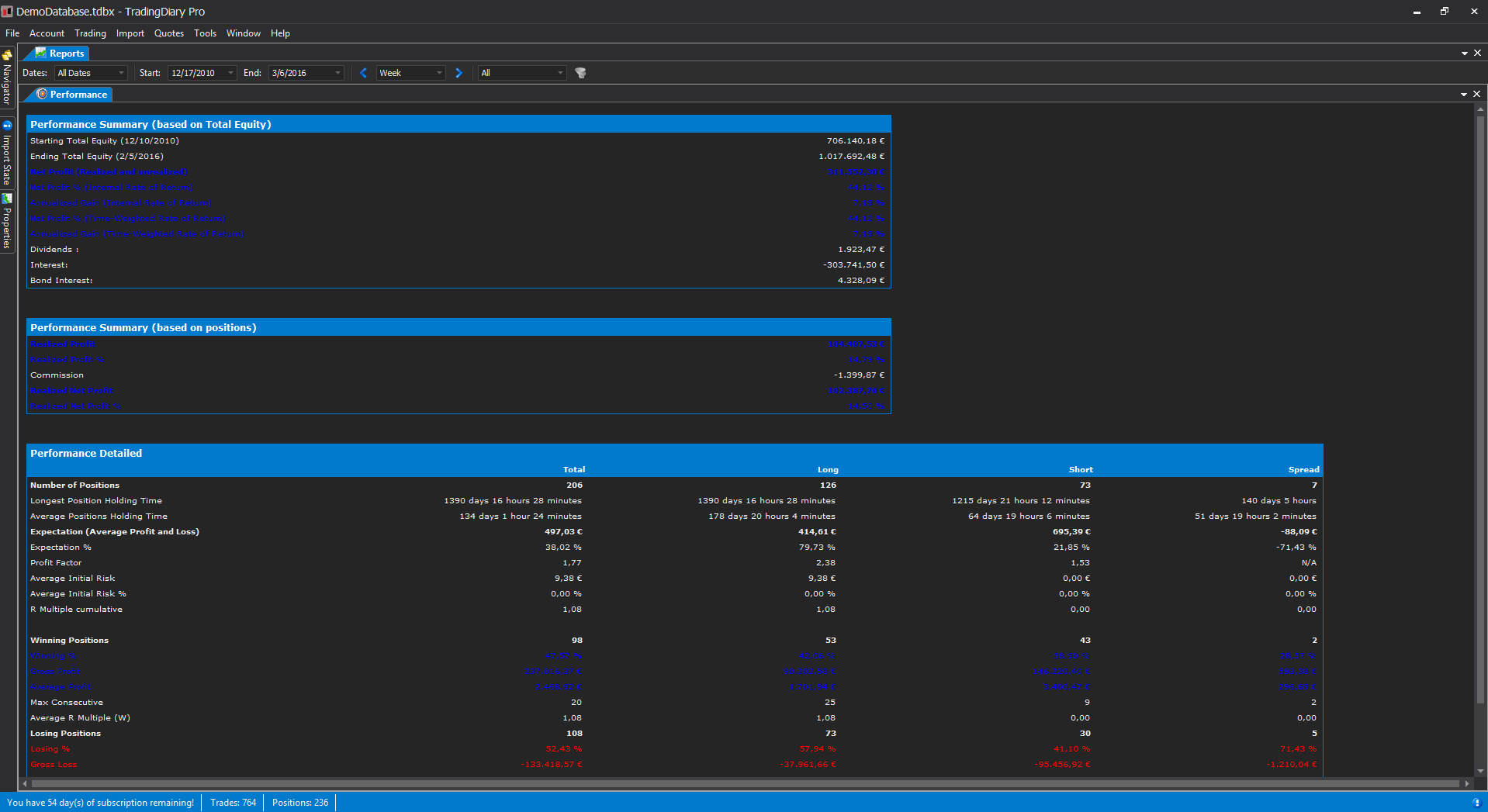
The Performance view shows your trading performance. Several metrics for long, short and spread positions. The metrics are:
Total Equity based metrics:
Positions based metrics. Each of them are calculated for Long, Short and Spread positions
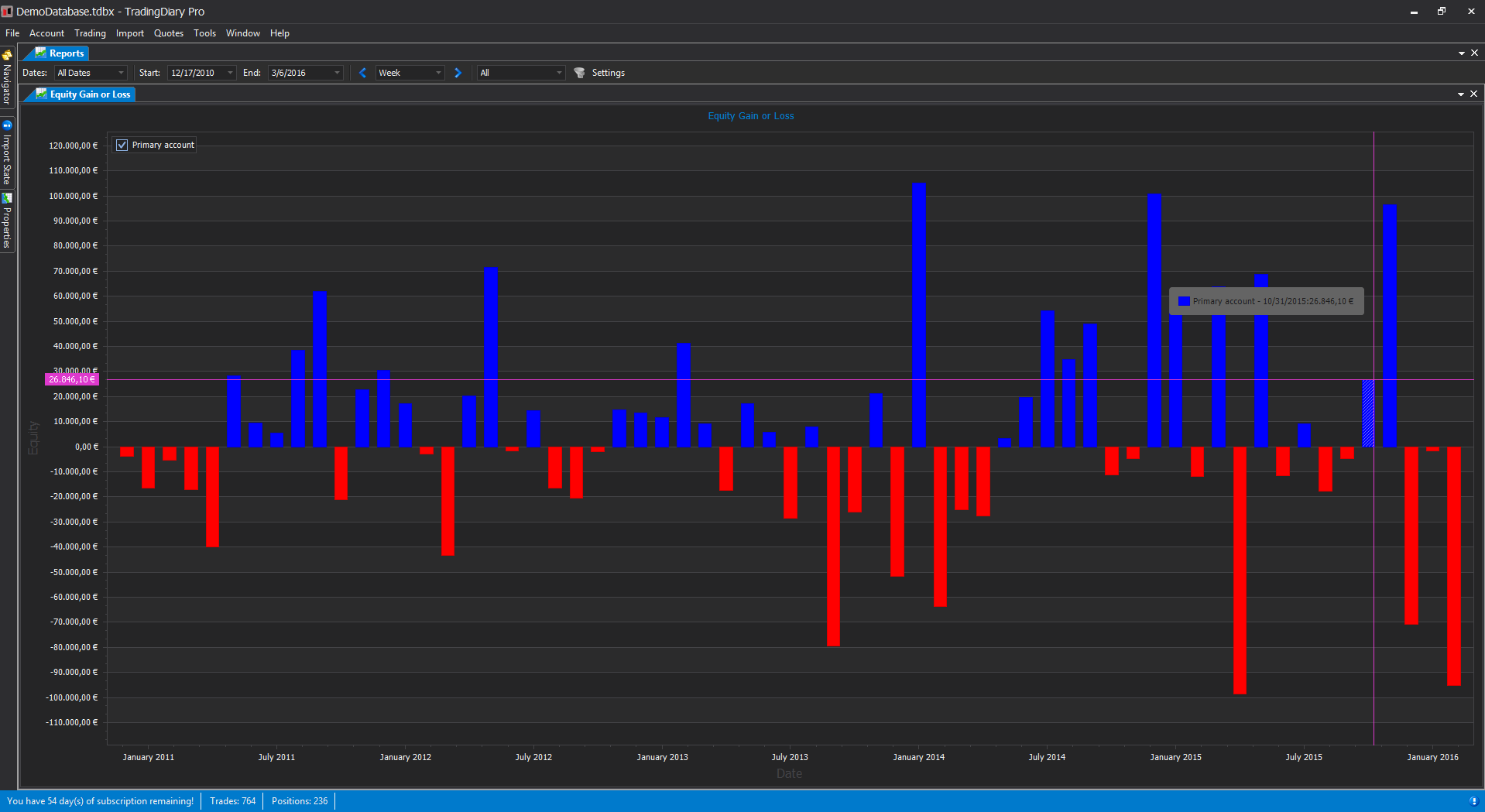
Shows changing of your accounts total equity over time. The measurement unit can be day, week, month, quarter and year.
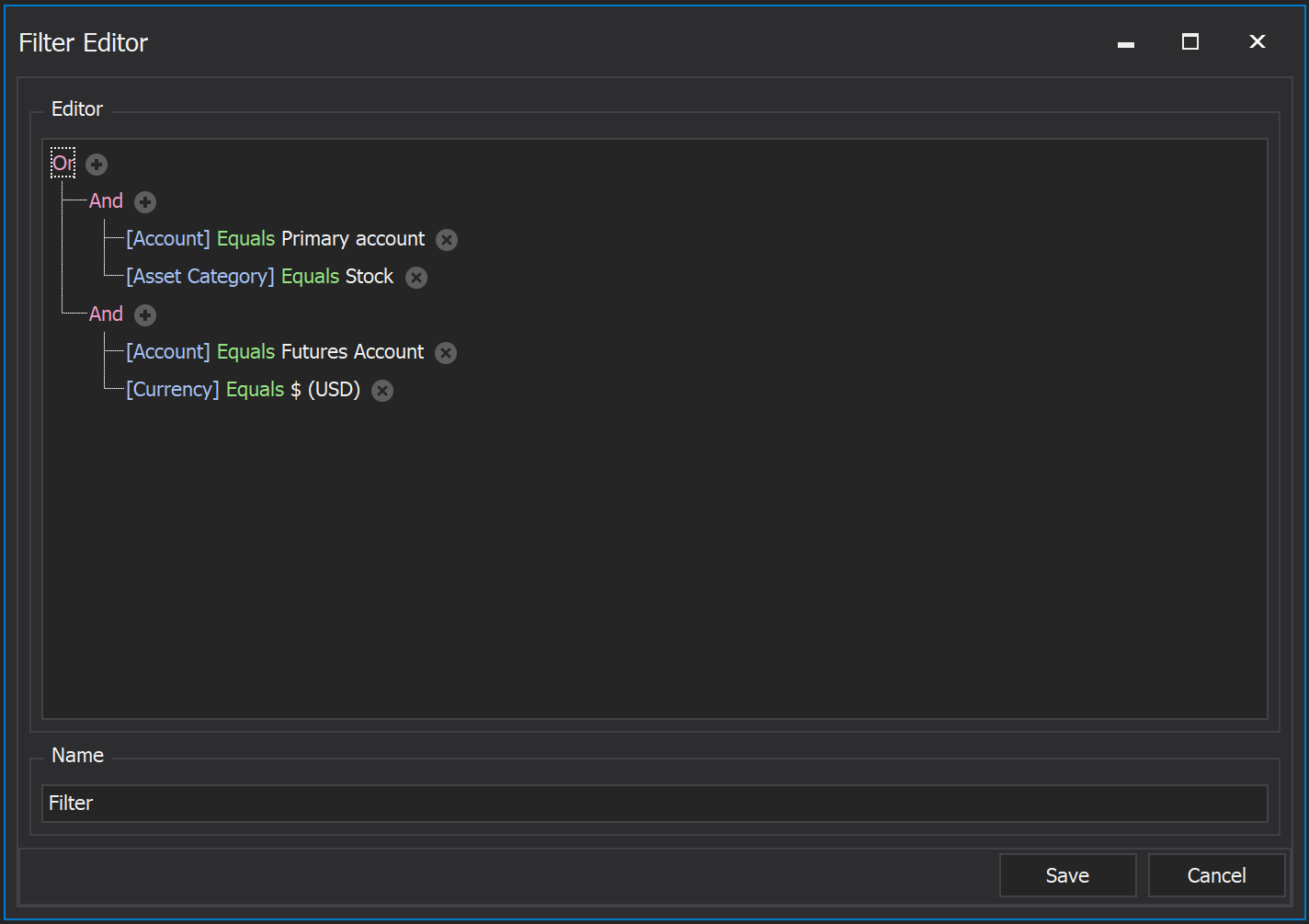
Filters can be created for trading plans, portfolios, accounts, tickers, underlying symbols, asset categories, profit and loss positions, long or short positions, currencies, tags and durations.
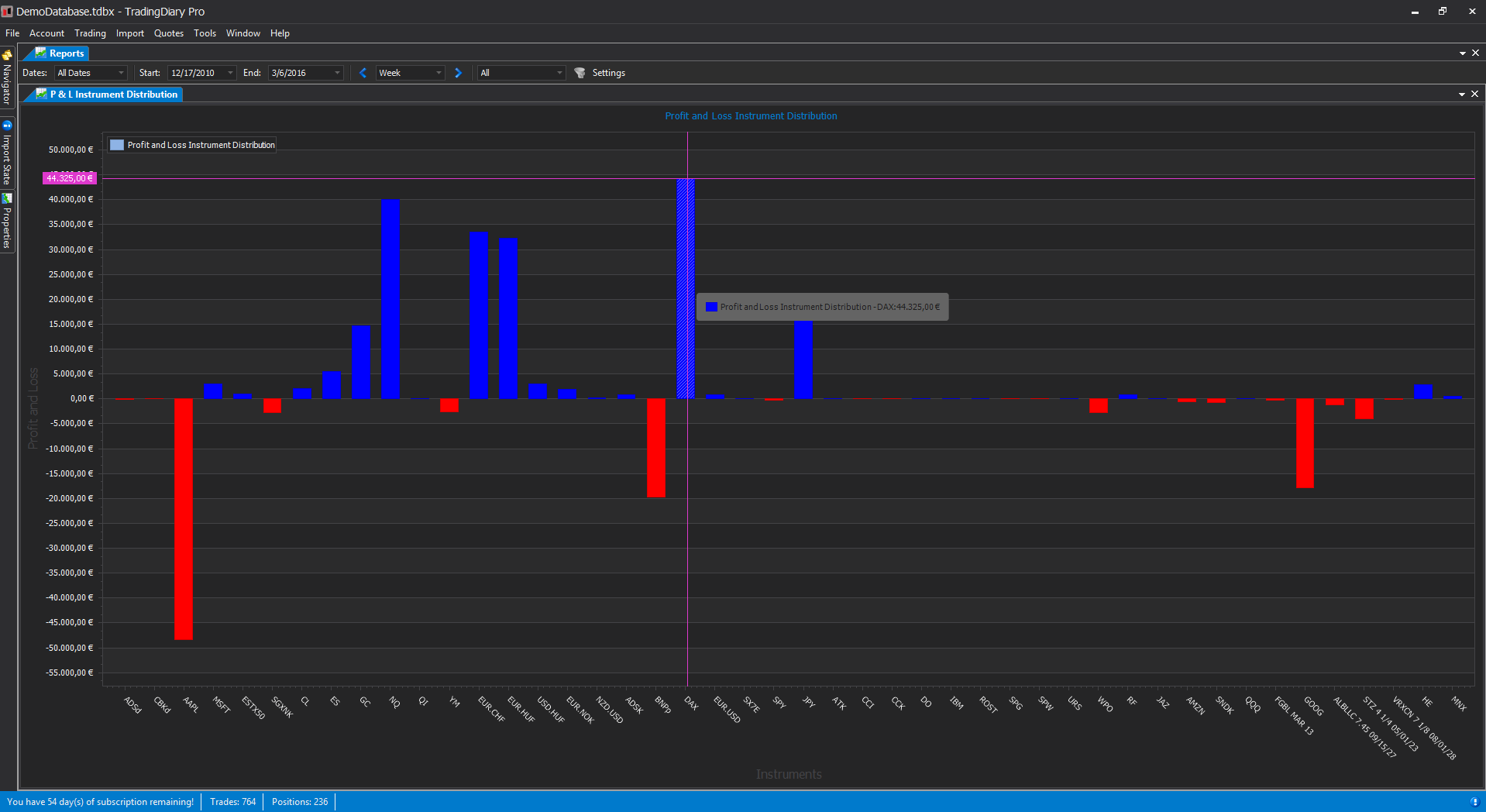
Profit & Loss Instrument Distribution is a bar chart which shows the P&L distribution of closed positions by instruments.
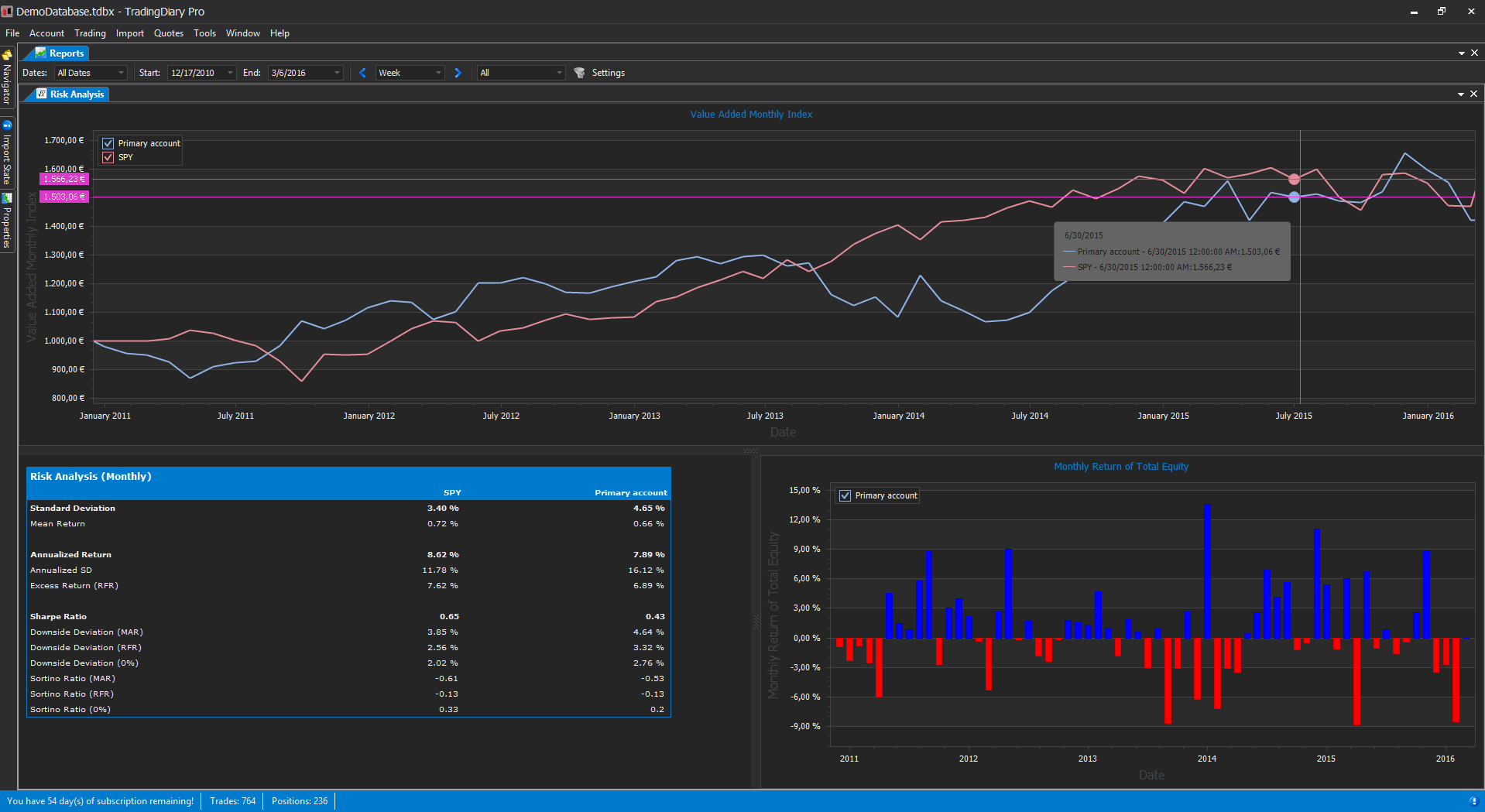
Risk analysis report. VAMI chart for your portfolio compared to benchmarks, monthly return of the total equity and risk metrics like: standard deviation, Sharpe ratio, Sortino ratio, excess return, downside deviation etc. All values are annualized weekly and monthly.
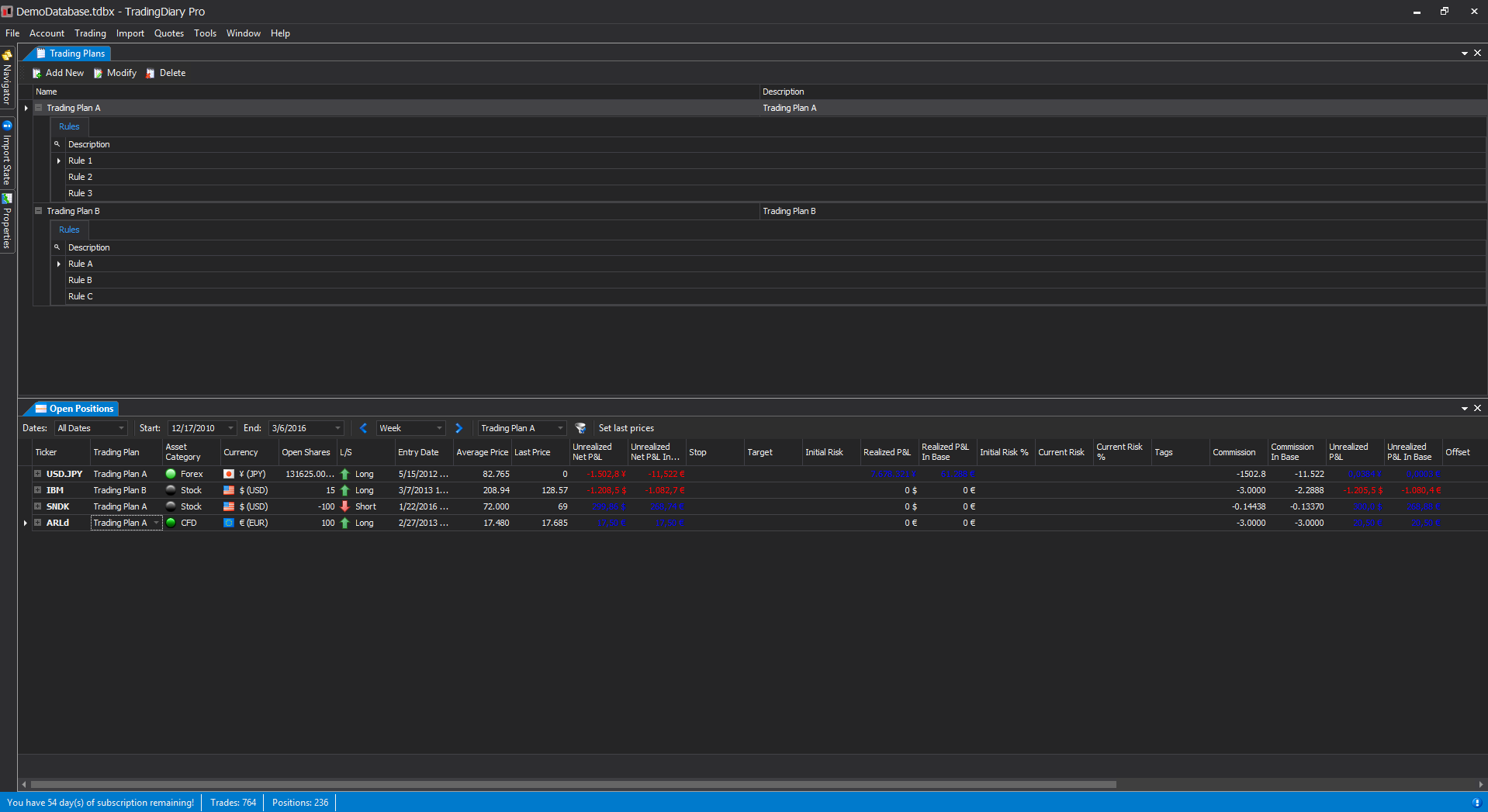
Trading plan support. You can define trading plans. Each trading plan can have several entries. A trading plan can be assigned to a position and the trading plan entries will act as a fulfillment checklist. You can even filter for trading plans. In the bottom part of the screenshot you can see that the open positions are filtered for Trading Plan A.
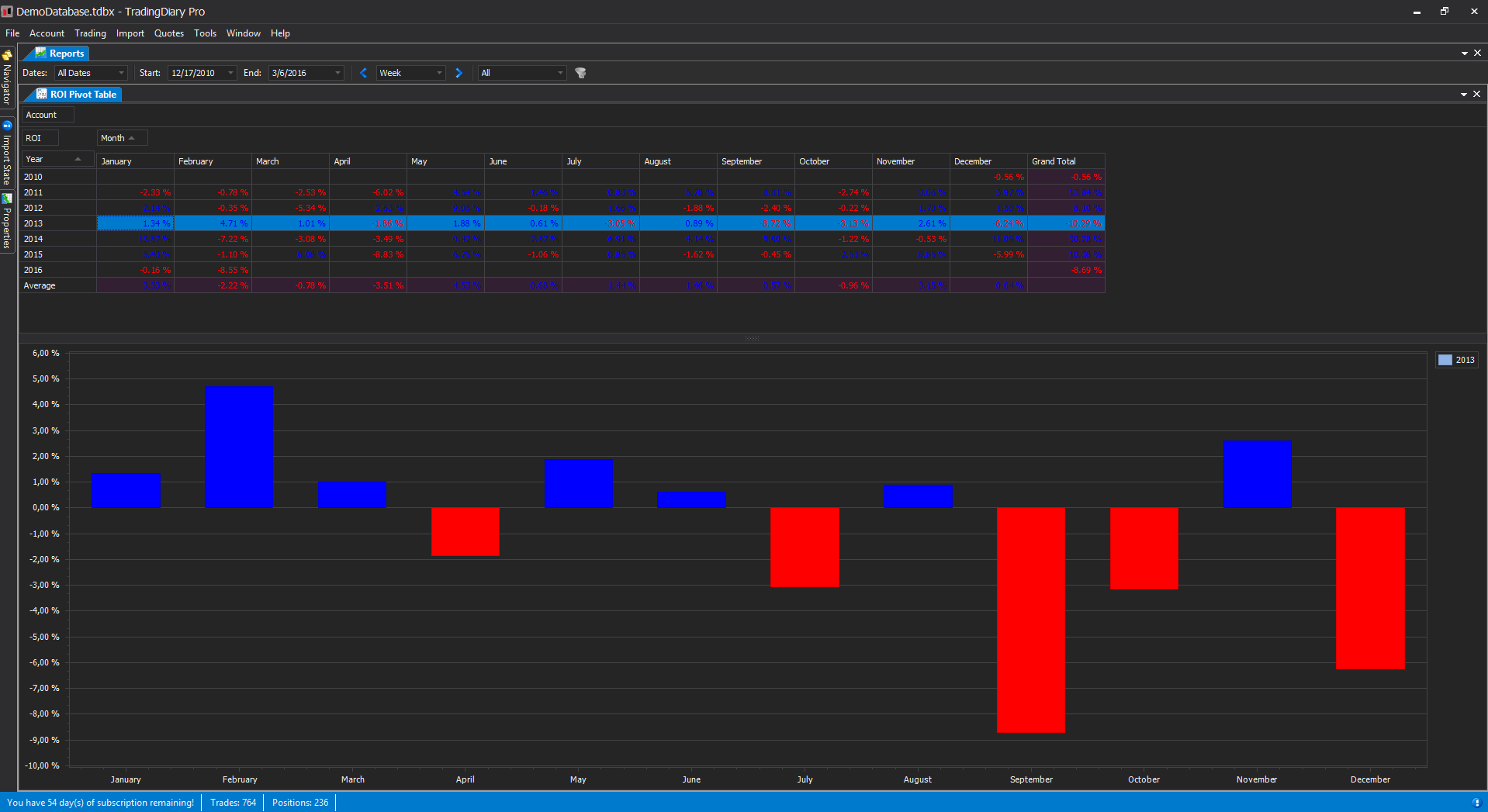
ROI Pivot Table shows the return of investment values of total equity by month and by year. This means that an entry for a month shows the gain or loss in percentage of a particular month comparing to the previous month.
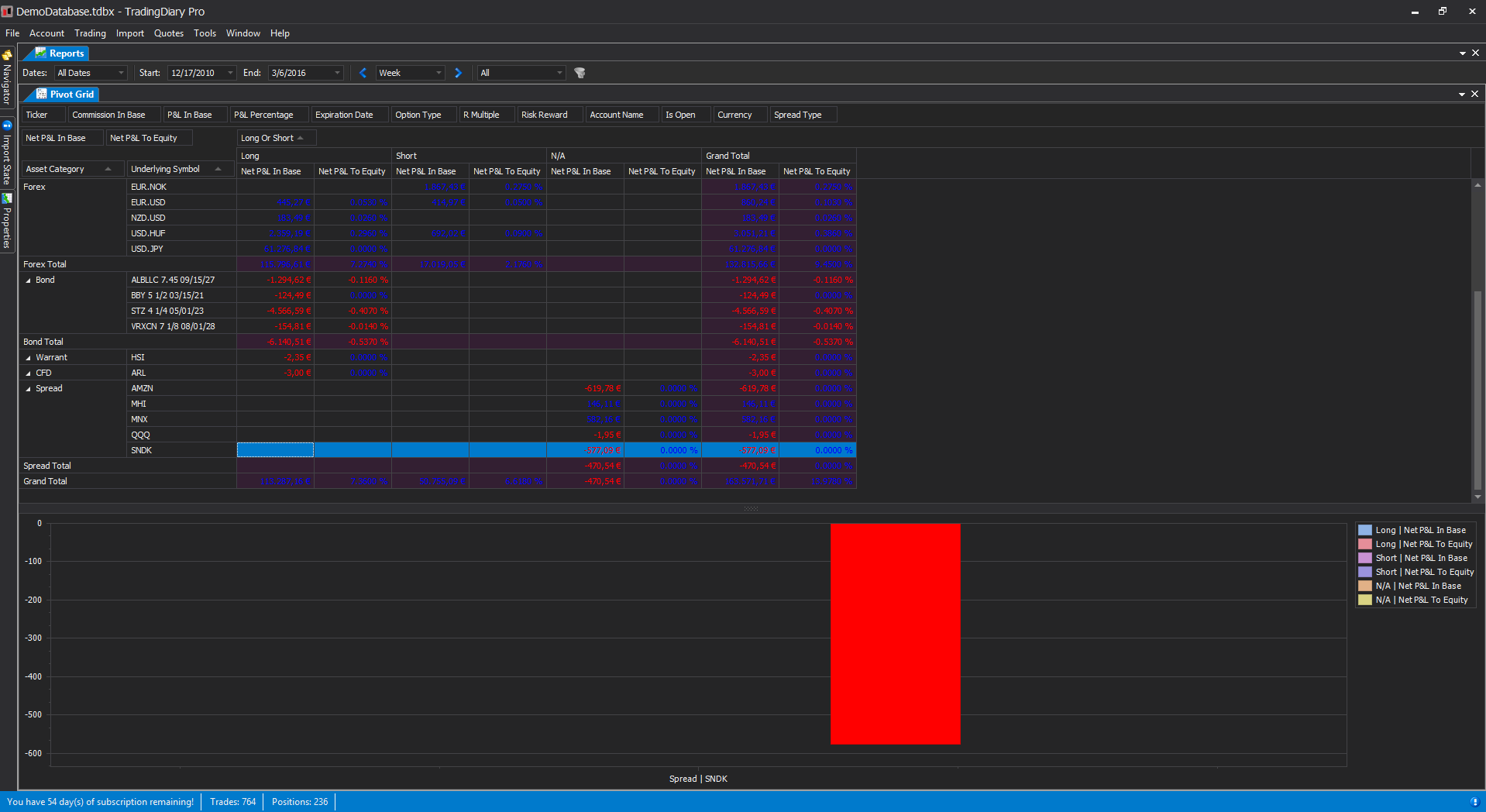
Pivot grid of the positions with chart integration. The positions can be grouped by the following metrics:
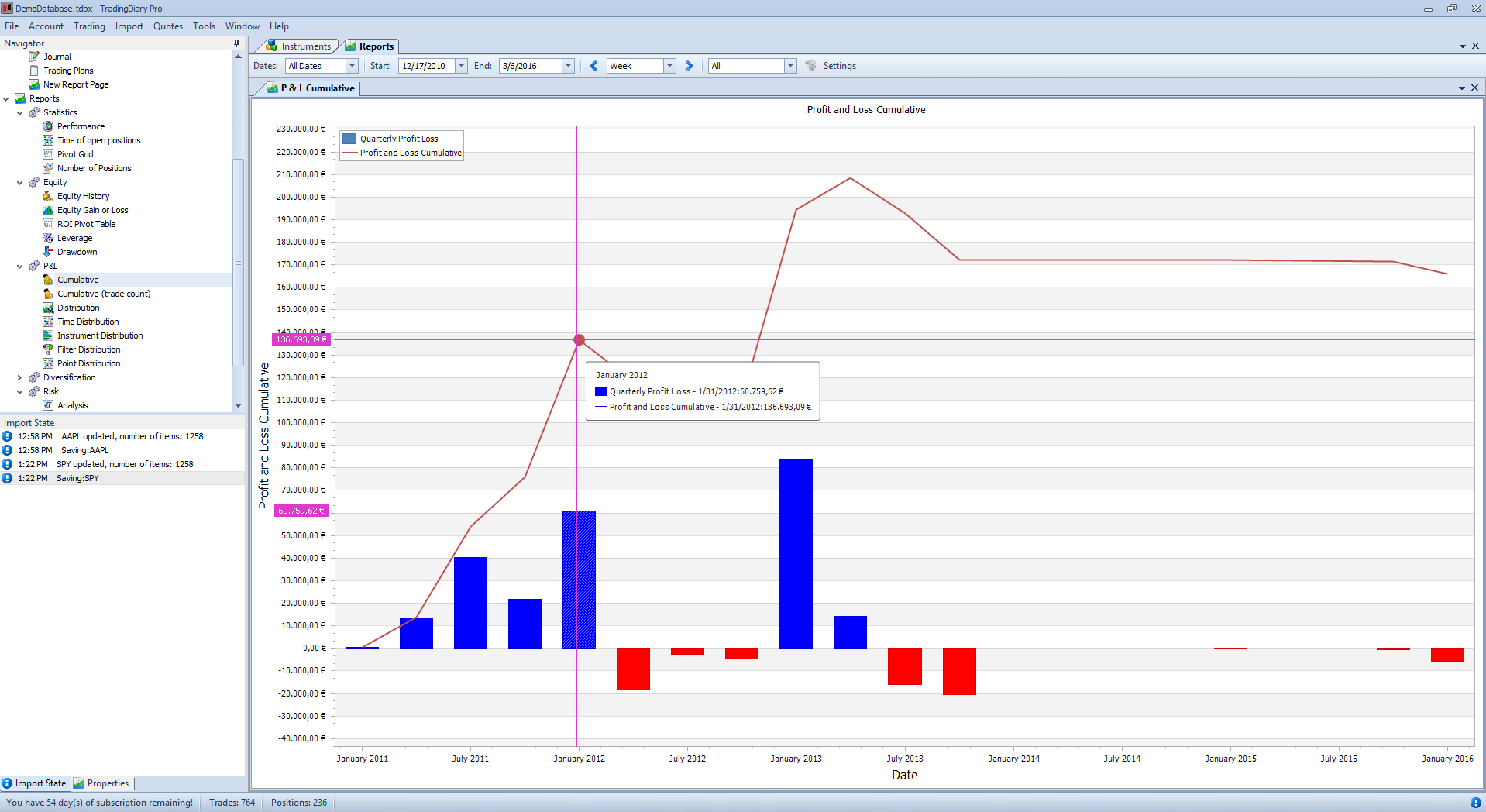
The software supports several different skins from white skin like Office 2013 white to very dark skins like VS 2013 Dark. The current screenshot was taken with that one.
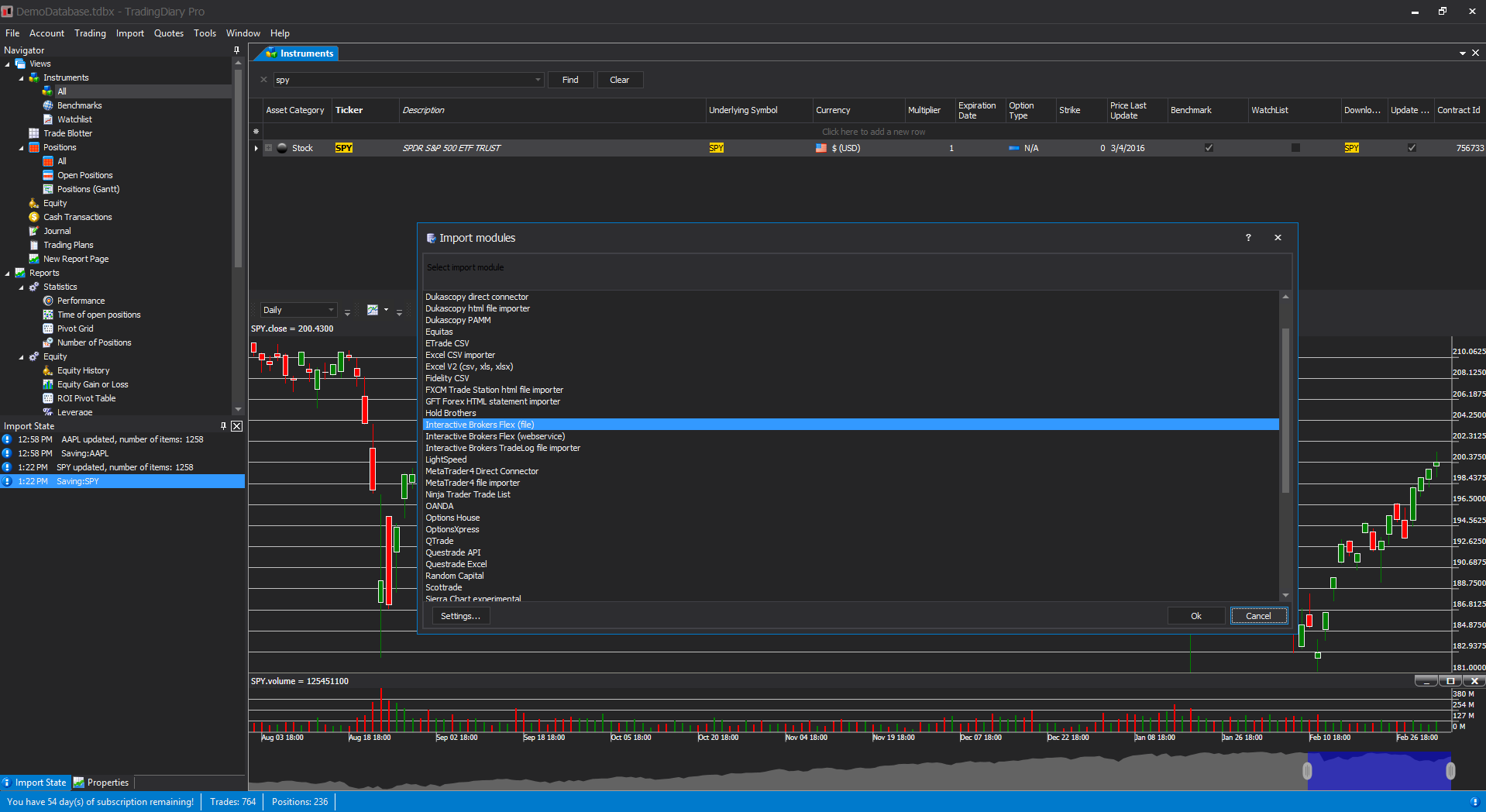
TradingDiary Pro supports more than 30 different import modules including a common excel based importer. Link to the Import page.
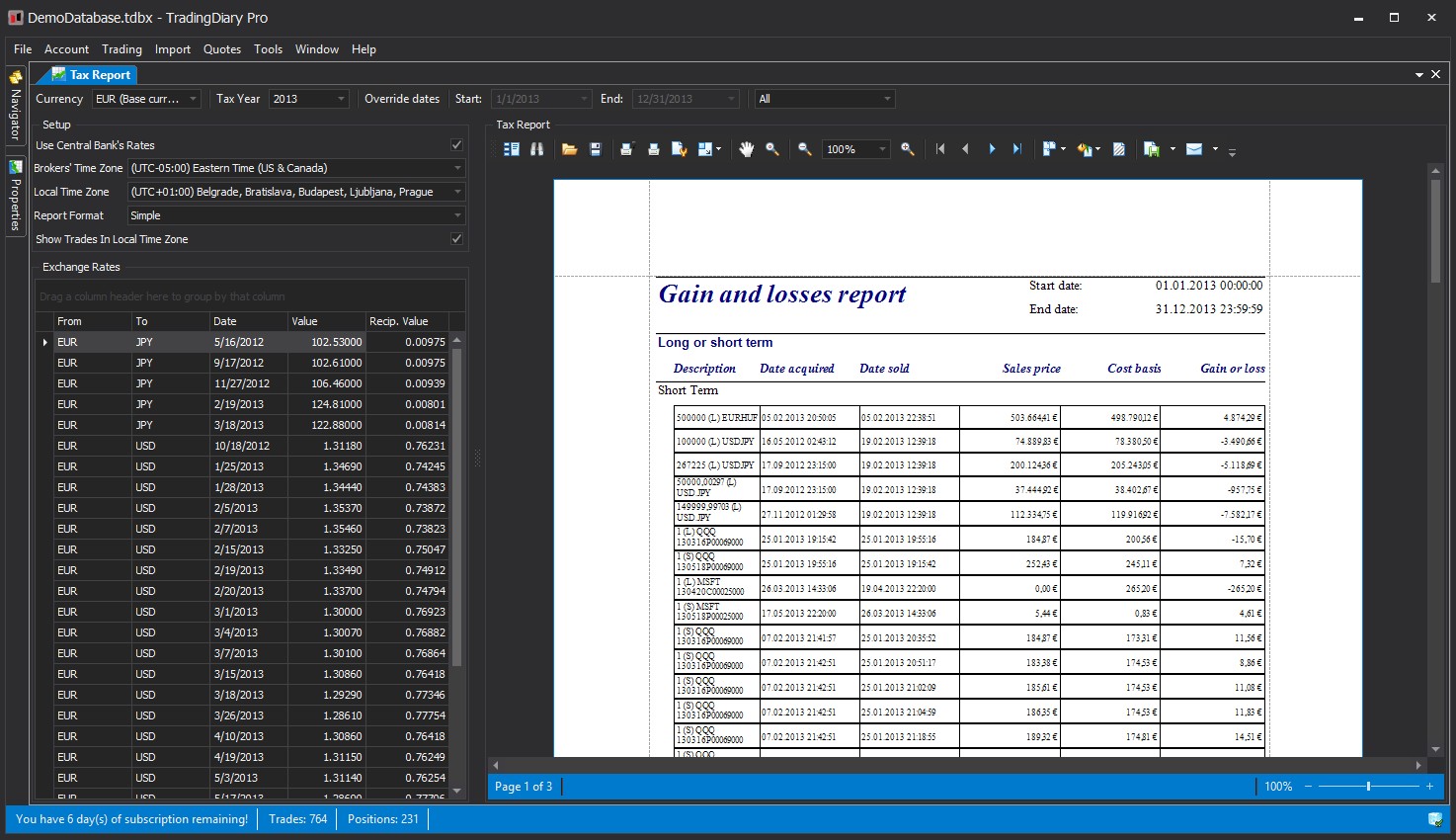
Capital gains report in non-base currency. The exchange rates are downloaded from the various central bank sources.
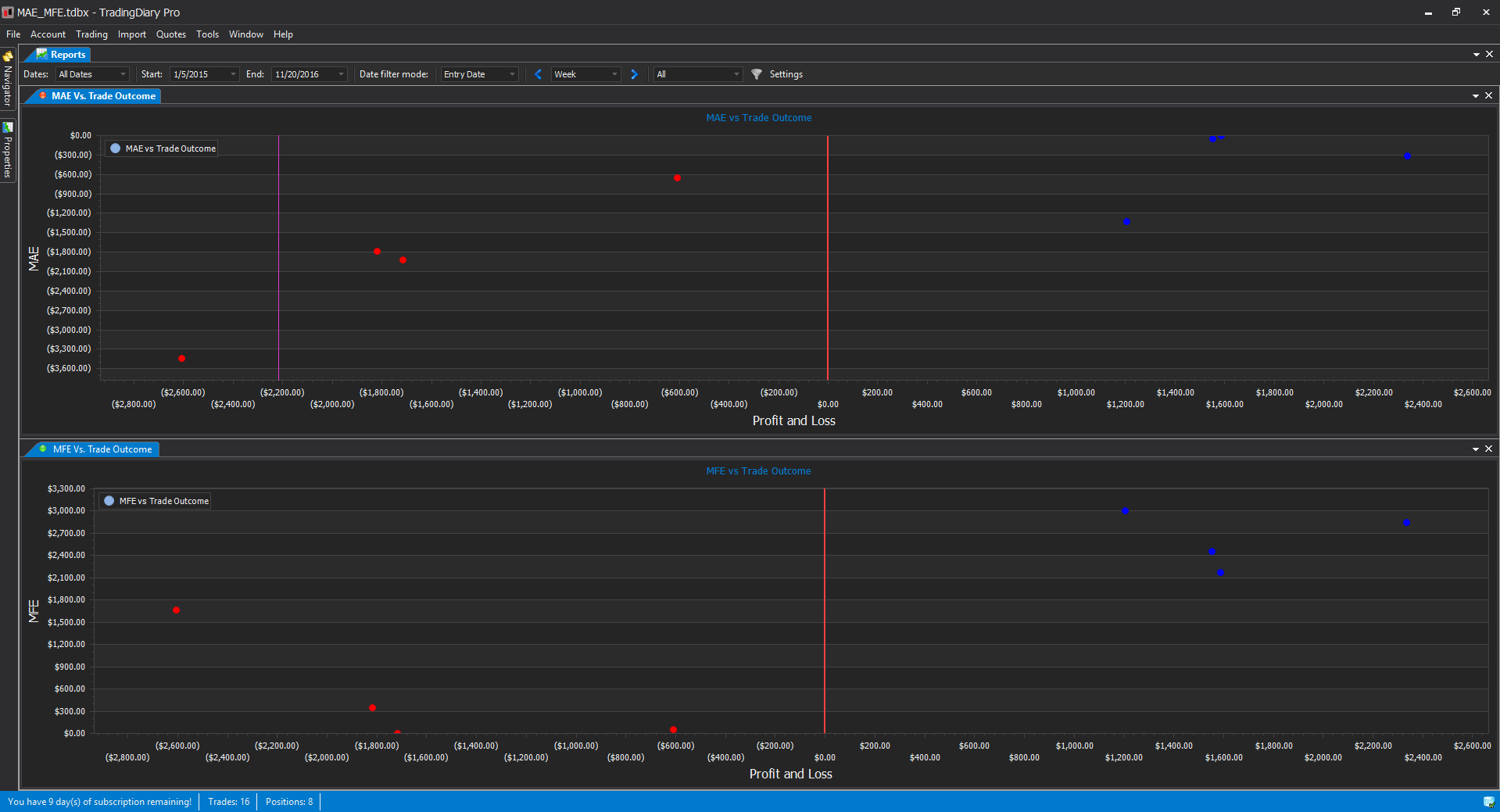
MAE MFE support. Related reports:
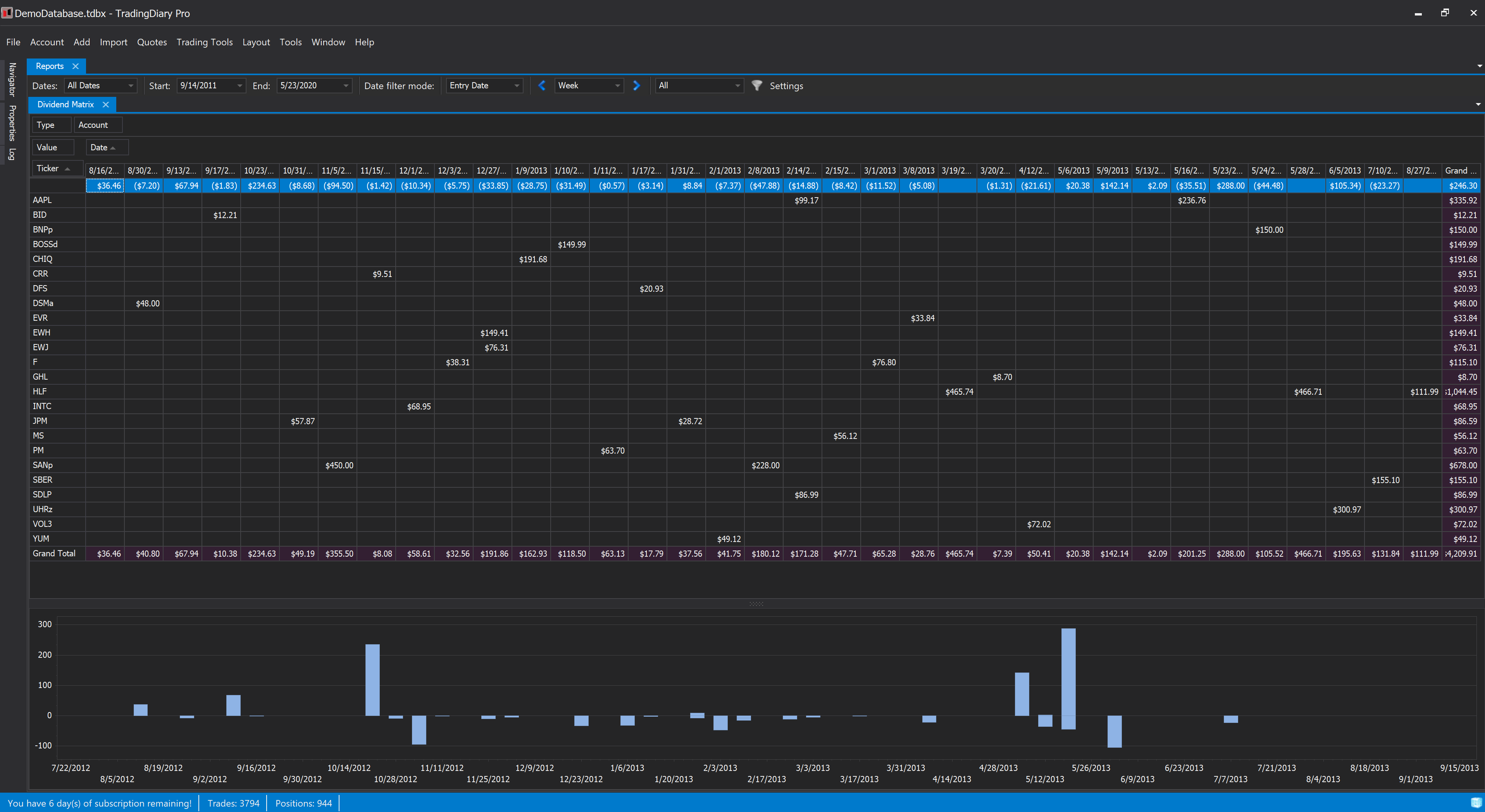
Pivot Grid to show in a matrix view of the received dividends by date and ticker.